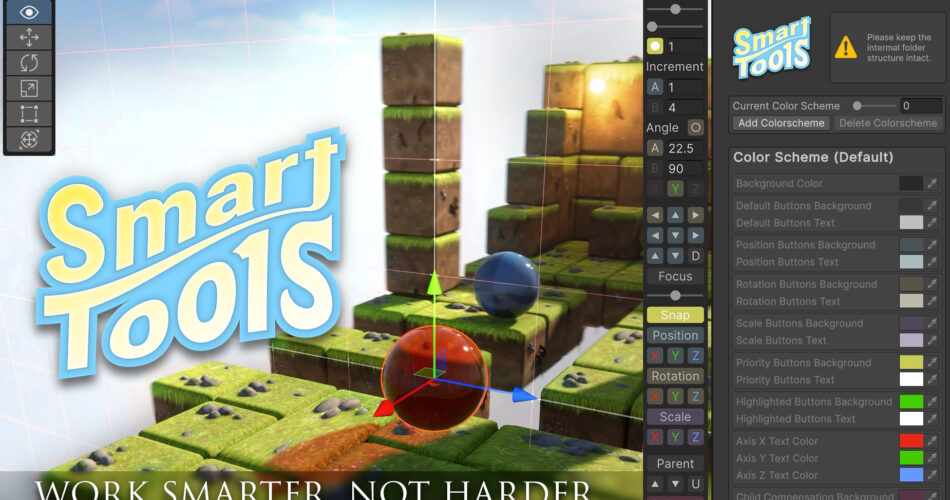
SmartTools: Work Smarter, Not Harder. The Essential Scene View Overlay for Unity. Free Upgrade from SnazzyGrid2!
Work Smarter, Not Harder.
Supercharge your Unity development with SmartTools, the powerful scene view overlay that saves you time and makes tedious tasks quicker to complete. SmartTools streamlines your workflow, helping you get more done with less hassle.
KEY FEATURES:
Dynamic 3-Axis Grid System
Achieve precise object alignment with a customizable grid that adapts to your camera view. Adjust increments, offsets, and opacity to fit your scene’s needs—ideal for both modular and custom setups.
Precision Object Manipulation
Move, rotate, and scale objects with ease using hotkeys or UI buttons. With SmartTools’ camera-relative movement, per-pivot rotation, and snapping features, placing objects is faster and more accurate than ever before.
Selection/View Bookmarks
Save time by bookmarking your most frequently used selections and views. Quickly return to important areas of your project without having to manually navigate back, allowing you to focus on creating instead of managing your workflow.
Child Compensation
Modify parent objects without affecting children, preserving your scene’s hierarchy. This feature simplifies adjustments, making complex setups easier to work with.
Streamlined Hierarchy and Level Design Tools
SmartTools reduces the hassle of managing object relationships, with quick parenting, auto-focus, and selection history tools that let you focus on designing, not organizing.
Customizable Interface and Hotkeys
Tailor the overlay to your preferences with customizable color schemes, button layouts, and axis indicators. Assign hotkeys to any feature using Unity’s Shortcut Manager, so your most-used tools are always within reach, speeding up your workflow and eliminating repetitive tasks.
Built-In Guide and Tooltips
Get up and running quickly with the built-in guide and tooltips. SmartTools’ intuitive interface ensures you’ll spend less time learning and more time building. The tooltips show which hotkeys are currently assigned and adapt to your changes.